Logo
Submit a request
Sign in
  1. Health Mart
  2. Filtering Dashboards and Widgets

Articles in this section

  • Introduction to Filters
  • Switching Filters On and Off
  • Saving Your Default Filters View
  • Restoring Filters

Introduction to Filters

The Filters panel on the right of the dashboard provides data filtering options that affect the data displayed in the widgets. You can change these filters to focus on more specific data.
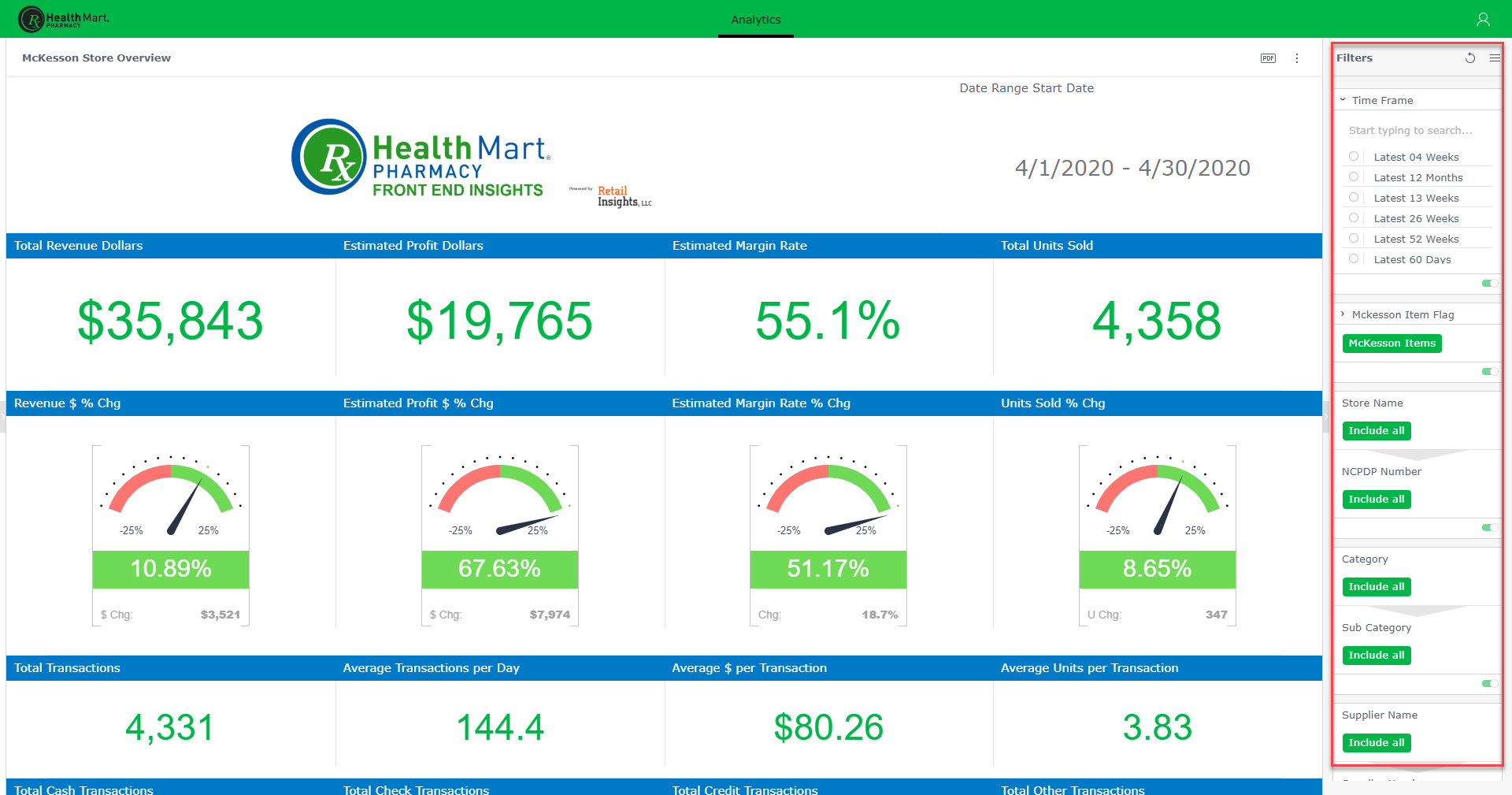
mceclip0.png

Users can interact with filters and save their changes locally. See Interacting with Filters as a Viewer for more information.

Was this article helpful?
0 out of 0 found this helpful
Have more questions? Submit a request
Return to top

Copyright © Health Mart. All rights reserved.

Zendesk Theme Designed by Diziana